
Containers changed the way software is built, shipped, and run. Docker made this process simple with a consistent developer experience and standardized container images. It connected local development to production in a way few tools could.
As container usage grew, new needs emerged. Teams wanted stronger security, lighter runtimes, better integration with orchestration tools, and faster local workflows.
By 2026, the container landscape looks very different. Docker is still popular, but many alternatives now offer specialized features. Some replace Docker’s core functions, like running or building containers. Others focus on local development, security, or efficiency.
This compiled list highlights the most helpful Docker alternatives. It explains what each tool does, why it might be useful, and when it makes sense to use it. Whether you are developing locally or managing production containers, this guide will help you find the right solution.
Container Runtime Alternatives
Container runtimes are the core components that run containers. Docker has its own runtime, but there are several strong alternatives. Each offers different strengths depending on your needs.
Podman
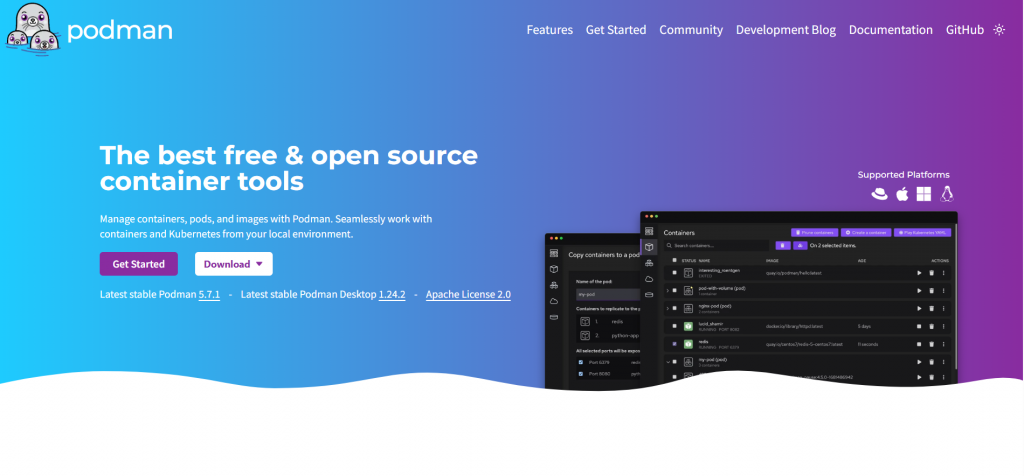
Podman runs containers without a central background service. It does not use a long-running daemon. Each container runs as a child process of the user, reducing the attack surface and enabling rootless operation. Podman supports the same image format as Docker and shares many of the same commands, making migration easy. It is secure, simple, and ideal for local development or secure environments. It does not include a built-in orchestrator.
Key Features
- Daemonless architecture
- Docker-compatible commands
- Rootless container support
- OCI image compliance
Pros
- Improved security with rootless mode
- Smooth migration from Docker commands
- Works well for development and scripts
Cons
- Doesn’t include built-in orchestration tooling
- Ecosystem smaller than Docker’s
containerd
containerd is a lightweight runtime focused on running containers efficiently. It handles pulling images, storing them, and starting containers. It does not provide a full CLI experience on its own but integrates well with tools that build images or manage workflows. containerd is stable, production-ready, and widely used in Kubernetes environments. It offers strong performance and flexibility, but is less suited for casual local development.
Key Features
- Core lifecycle management (pull, store, run)
- OCI compliance
- Stable and efficient design
- Integrates with higher-level tools
Pros
- Very stable and scalable
- Efficient resource use in production
- Wide adoption in cloud and Kubernetes
Cons
- No standalone easy CLI (requires tools like ctr or nerdctl)
- Less intuitive for simple local development
CRI-O
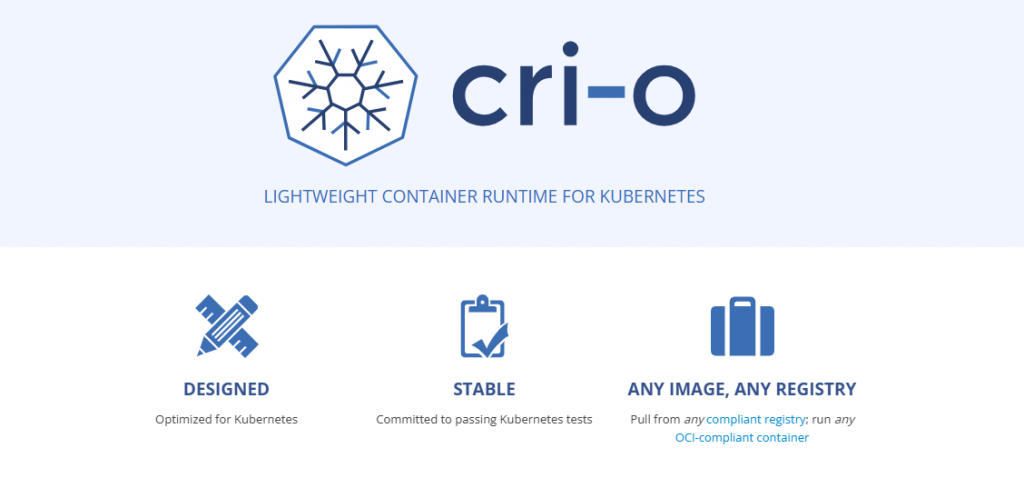
CRI-O is built specifically for Kubernetes. It implements the Kubernetes Container Runtime Interface (CRI) and focuses solely on running containers in clusters. CRI-O does not provide image-building or standalone container management features. It is lightweight, efficient, and optimized for orchestrated environments. This makes it a good choice if your workloads run entirely on Kubernetes.
Key Features
- Designed for Kubernetes’ CRI
- Lightweight and minimal
- OCI-compatible runtime support
- Strong security posture
Pros
- Minimal overhead and fast startup
- Optimized for orchestrated workloads
- Lower memory footprint than more general runtimes
Cons
- Only suitable within Kubernetes clusters
- Not ideal for standalone or local container tasks
Low-Level Runtimes: runC & Youki
Low-level runtimes form the foundation of higher-level tools like Podman, containerd, and CRI-O. runC is the reference OCI runtime and handles the basic steps of starting and isolating containers. Most container engines use runC under the hood. Youki is a Rust-based OCI runtime designed for better performance and memory efficiency. These runtimes are not full container engines, but they power many runtime stacks.
Key Features
- runC: OCI standard implementation
- Youki: Rust-based with memory safety focus
- Both run containers according to OCI specs
Pros
- Highly lightweight and efficient
- Serve as core components for higher-level runtimes
- Youki offers improved safety and performance patterns
Cons
- Not standalone container engines
- Require additional tooling for management workflows
Image Building Alternatives
These tools focus on building container images without relying on Docker’s daemon. They are useful in CI/CD pipelines and environments where security or daemon-less builds matter.
Buildah
Buildah is a dedicated image builder that creates OCI-compliant container images without needing a background daemon. It lets you build, modify, and layer images with fine-grained control over each step of the process. Compared to Docker’s default build process, Buildah’s design is more flexible and secure, especially for automated pipelines.
Key Features
- Daemonless image building
- Rootless operation
- Scriptable CLI for dynamic builds
- Direct control over image layers
- Works with existing OCI workflows
Pros
- No daemon means fewer security risks and simpler CI setup
- Ideal for complex image logic and conditional build steps
- OCI images remain compatible with most runtimes
Cons
- Different syntax from traditional Docker builds
- Learning curve for teams used to Docker build
- Not focused on local interactive use as much as server-side builds
Kaniko
Kaniko is a container image builder that runs completely in userspace and does not require a Docker daemon or privileged access. It is designed to run inside Kubernetes pods or CI environments. Kaniko reads Dockerfiles and produces images by executing each instruction in isolation, making it suitable for secure cloud-native pipelines.
Key Features
- Daemonless execution in userspace
- Builds directly from Dockerfiles
- Runs inside containers or Kubernetes
- Can push images to registries once built
Pros
- Works well in Kubernetes-based CI/CD systems
- No privileged containers required
- Avoids issues with Docker-in-Docker setups
Cons
- Primarily designed for Linux environments
- Does not support multi-architecture builds natively
- Requires a Kubernetes context or container runtime to run
Desktop & Local Development Alternatives
These tools replace Docker Desktop for local container development. They each offer ways to run containers, build images, and manage environments without Docker’s desktop app, with varying interfaces and features.
Podman Desktop

Podman Desktop is a desktop GUI for the Podman container engine. It provides a visual interface for running containers locally without a central daemon. Podman’s security-oriented design offers a more secure local environment than traditional Docker Desktop.
Key Features
- Graphical interface for container management
- Runs without a daemon
- Works on Windows, macOS, Linux
- Supports OCI images and Kubernetes workflows
Pros
- No daemon means reduced attack surface
- Same container image support as Docker
- Works across major platforms
Cons
- GUI is not as polished as Docker Desktop
- Some Docker Compose features may require workarounds
Rancher Desktop
Rancher Desktop is a cross-platform desktop tool that combines container management with built-in Kubernetes support. It provides a familiar interface and lets you manage containers and clusters from one place.
Key Features
- Built-in Kubernetes support
- Container runtime switch (containerd or dockerd)
- GUI for container and cluster management
- Works on Windows, macOS, Linux
Pros
- Good for container + Kubernetes workflows
- Free and open-source
- Familiar desktop UX for many developers
Cons
- Heavier system footprint than purely CLI tools
- Includes Kubernetes even if not needed
OrbStack
OrbStack is a macOS-focused local container environment. It aims to be faster and lighter than Docker Desktop while offering native macOS performance and Docker-compatible features.
Key Features
- Native macOS integration
- Fast container startup and low overhead
- CLI plus UI support
- Supports Docker Compose and Kubernetes via K3s
Pros
- Extremely fast startup times
- Low resource use improves battery life
- Works with existing Docker workflows
Cons
- macOS only
- Smaller ecosystem than Docker Desktop
Colima / Finch
Colima and Finch are lightweight local container environments focused on CLI workflows. They run container runtimes in a small VM and provide a resource-efficient alternative to Docker Desktop, especially on macOS and Linux.
Key Features
- Command-line driven environment
- Runs Docker or containerd runtimes
- Optional Kubernetes via K3s
- Low memory and CPU usage
Pros
- Minimal system overhead
- Works well for terminal-focused developers
- Free and open-source
Cons
- No graphical interface
- Requires more manual setup than desktop tools
Orchestration Platforms Linked to Docker Alternatives
These platforms go beyond basic container runtime to manage clusters of services, automate deployment, and handle scaling. They represent higher-level ways of running containerized workloads at scale without relying on Docker’s built-in orchestration features.
Kubernetes

Kubernetes is the industry-standard platform for container orchestration. It automates deployment, scaling, and management of containerized applications across clusters. Kubernetes dominates the ecosystem and is widely supported by cloud providers and tooling.
Key Features
- Automated scaling and load balancing
- Declarative configuration via manifests
- Rolling updates and self-healing workloads
- Strong ecosystem and broad community support
Pros
- Powerful and flexible for large, distributed systems
- Works with most container runtimes (containerd, CRI-O)
- Rich ecosystem of tools and extensions
Cons
- Steep learning curve for new users
- Can be resource-intensive for small projects
- Set up and management require operational expertise
Red Hat OpenShift
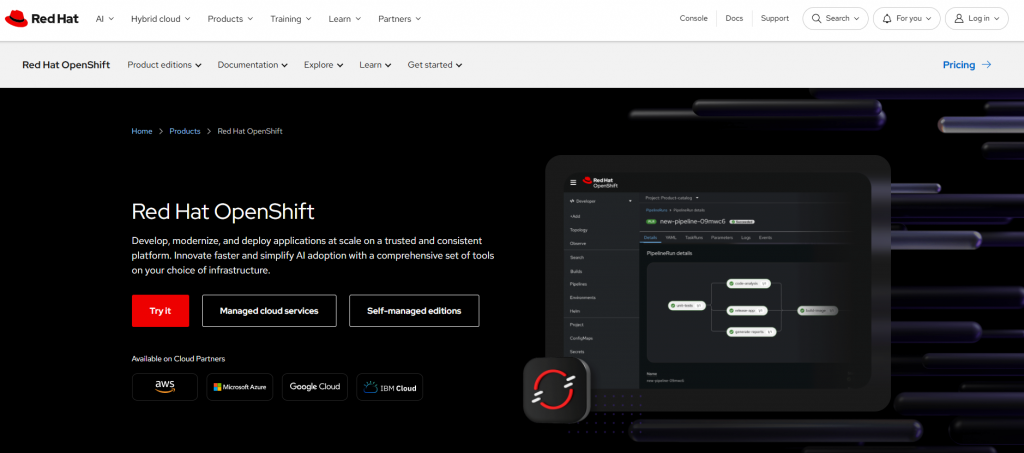
Red Hat OpenShift is an enterprise Kubernetes platform. It builds on standard Kubernetes and adds integrated developer tools, CI/CD pipelines, and enhanced security features. OpenShift aims to reduce operational overhead while providing enterprise governance.
Key Features
- Built-in continuous integration and delivery
- Enhanced security policies and role-based access control
- Web console and developer tooling out of the box
- Multi-cloud and hybrid deployment support
Pros
- Enterprise support and long-term stability
- Easier onboarding for teams new to Kubernetes
- Comprehensive platform beyond pure orchestration
Cons
- More complex and heavier than vanilla Kubernetes
- Licensing and support costs can be high
- Less flexible for lightweight or DIY setups
HashiCorp Nomad
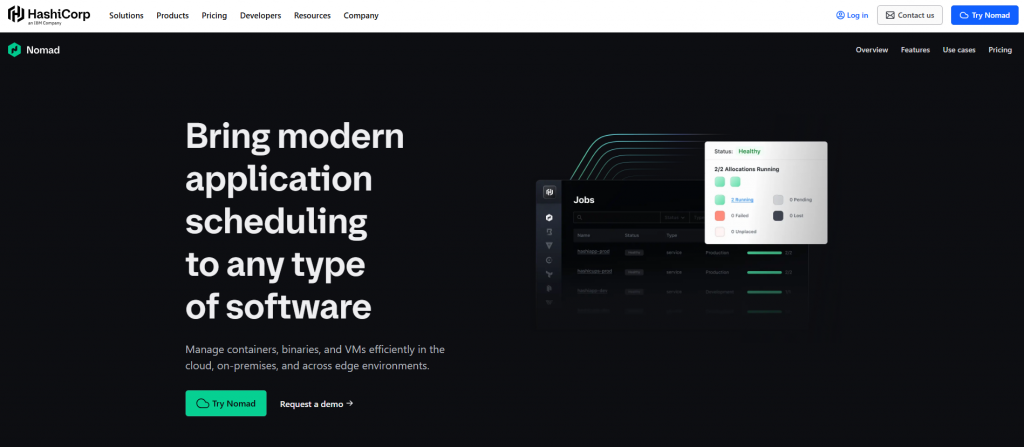
HashiCorp Nomad is a lightweight, flexible orchestrator. It schedules containers, VMs, and standalone applications in a unified way. Unlike Kubernetes, Nomad focuses on simplicity and broad workload support without complex control planes.
Key Features
- Single-binary deployment model
- Supports containers, virtual machines, and other workloads
- Integrates with HashiCorp ecosystem (Consul, Vault)
- Simple scheduling and multi-region support
Pros
- Easy to set up and operate
- Handles both containerized and non-containerized workloads
- Scales with minimal complexity compared to heavier orchestrators
Cons
- Smaller ecosystem than Kubernetes
- Fewer built-in advanced orchestration features
- Community and third-party tooling are less extensive than Kubernetes
Broader or Adjacent Alternatives
Not all workloads fit neatly into container application patterns. In 2026, several technologies exist that serve as broader or adjacent alternatives to Docker, offering different trade-offs in isolation, flexibility, and platform abstraction.
Virtual Machines
Virtual machines (VMs) run full guest operating systems on virtualized hardware. They predate containers and remain widely used when strong isolation, full OS environments, or legacy application support is required.
Key Features
- Full operating system per instance
- Strong isolation via hypervisors
- Broad OS and hardware support
- Mature tooling and ecosystem
Pros
- High isolation with separate kernels
- Great for legacy applications that expect a full OS
- Works well when containers are too restrictive
Cons
- Heavier resource use than containers
- Slower startup times
- Not optimized for microservices density
Platform-as-a-Service (PaaS)
Platform-as-a-Service (PaaS) abstracts away infrastructure concerns, allowing developers to focus on their applications. Developers deploy code or artifacts, and the PaaS handles provisioning, scaling, and runtime environments. PaaS can eliminate the need to manage low-level container tooling.
Key Features
- Code-centric deployment model
- Automatic scaling and load management
- Integrated build and deployment pipelines
- Managed service experience
Pros
- Removes infrastructure complexity
- Speeds up application delivery
- Built-in scaling and health management
Cons
- Less control over runtime details
- May be costlier at scale
- Can lock you into specific platform APIs
System Containers (LXC/LXD)
System containers, such as Linux Containers (LXC) and the LXD manager, provide OS-level virtualization. Unlike application containers that focus on single processes, system containers behave like lightweight virtual machines with full init systems and broader OS environments.
Key Features
- Full Linux system environments
- Namespace and cgroup isolation
- Live migration, snapshots, and REST APIs with LXD
- Lower overhead than traditional VMs
Pros
- Better isolation than application containers
- Suitable for stateful and multi-service workloads
- Lightweight relative to full VMs
Cons
- Not as lightweight as traditional Docker containers
- Less tooling and ecosystem for microservices use
- Linux limited (less native support for macOS/Windows hosts)
Docker Alternatives Analysis and Use Case Comparison
This section helps you compare Docker alternatives side-by-side and decide which one fits different scenarios best. Container tooling today isn’t one-size-fits-all; each option trades off features, performance, and simplicity in different ways.
The table below highlights key differences between major alternatives, based on functionality, usability, and deployment fit:
| Alternative | Category | Docker CLI Compatibility | Best For | Security | Resource Usage |
| Podman | Runtime | High | Local dev, rootless workflows | High | Low |
| containerd + nerdctl | Runtime | Partial | Kubernetes / production | Medium | Very Low |
| CRI-O | Runtime | Low | Kubernetes clusters | High | Low |
| Buildah | Image Builder | Low | CI/CD image creation | High | Low |
| Kaniko | Image Builder | Medium | Kubernetes CI/CD | Medium | Medium |
| Kubernetes | Orchestration | N/A | Large scale clusters | High | Medium |
| OpenShift | Orchestration | N/A | Enterprise Kubernetes | High | Medium-High |
| Nomad | Orchestration | N/A | Flexible multi-workloads | Medium | Low |
| VMs | Broad | N/A | Legacy/isolated workloads | High | High |
| PaaS | Abstract | N/A | Managed application deployment | High | Varies |
| LXC/LXD | System Containers | Low | Lightweight full OS env | Medium | Moderate |
Use Case Scenarios
Choosing the right Docker alternative depends on your workflow, team, and deployment goals. Here are common scenarios and recommended fits:
Local Development & Docker Replacement:
- Podman: Close to Docker CLI, rootless, and great for personal or team environments where security matters.
- containerd + nerdctl: For CLI-centric developers who want Docker-like commands, low overhead, and consistency with production runtimes.
CI/CD Image Building:
- Buildah: Best for secure, scripted image builds without relying on a daemon.
- Kaniko: Ideal for Kubernetes CI pipelines, especially in restricted environments like cloud runners.
Kubernetes & Production Orchestration:
- CRI-O: Lightweight, Kubernetes-native runtime offering low overhead and tight integration.
- Kubernetes: Standard for orchestrating containerized apps at scale.
- OpenShift: Adds enterprise features, governance, and pipeline tooling on top of Kubernetes.
Multi-Workload Scheduling Beyond Containers:
- HashiCorp Nomad: Fits mixed workloads (containers, VMs) with a simple scheduling model.
Broader Deployment Models:
- Virtual Machines: When full OS control or strong isolation trumps container efficiency.
- PaaS: When you want infrastructure abstracted away and focus purely on application delivery.
- System Containers (LXC/LXD): For lightweight virtualized environments that act like small VMs but with less overhead.
How to Choose the Right Docker Alternative?
There is no single best Docker alternative for every team and every workflow. The container ecosystem now includes runtimes, builders, local tools, and orchestration platforms that excel in different areas. Choosing the right one means matching your technical needs, workflow preferences, and operational goals.
Start with Your Primary Goal
Are you replacing Docker for local development? If your priority is a seamless developer experience with minimal change, look for tools that support familiar workflows and commands. Some alternatives aim to be compatible with Docker CLI or Docker Compose, making transitions easier for developers.
Are you optimizing for production or Kubernetes? For production workloads, especially in orchestrated environments, lean toward solutions designed for performance, efficiency, and integration with cluster platforms. Several runtimes focus purely on running containers in Kubernetes nodes with minimal overhead.
Are security and compliance top concerns? Daemonless and rootless tools reduce the attack surface and limit the privileges required to run containers. These can be valuable in multi-tenant systems or regulated environments.
Evaluate Key Dimensions
Here are the core criteria to weigh when choosing:
- Compatibility with Existing Workflows: Tools that work with Docker-style commands or Dockerfiles reduce retraining and refactoring. Look for alternatives with Docker CLI support or smooth migration paths.
- Security Model: Daemonless tools and rootless runtimes isolate container processes more strongly than traditional daemon-based systems, reducing risk. Choose higher security if your environment demands strict isolation.
- Integration with Orchestration: If you use or plan to use Kubernetes, pick technologies built for that ecosystem. Some runtimes are purpose-built to work with Kubernetes’ interfaces, offering tighter integration and lower overhead.
- Resource Efficiency: Lightweight runtimes shine in environments where memory and CPU are limited, like edge servers or low-cost VMs. More complex platforms might be suitable for large clusters but overkill for small teams.
- Local vs. CI/CD Needs: Different tools serve different stages of the development lifecycle. Some excel at building images securely in pipelines; others offer fast, resource-efficient local environments for developers.
Common Scenarios & Recommendations
Here are practical scenarios you might encounter and what to choose:
- Local Development with Familiar Commands: Choose tools that offer Docker-style CLI compatibility. These minimize retraining and fit existing workflows.
- CI/CD Image Builds Without a Daemon: Choose builder-focused tools that operate in userspace and avoid privileged containers. These work well in automated pipelines and cloud CI systems.
- Production in Kubernetes Clusters: Pick runtimes designed for Kubernetes interfaces. These remove unnecessary features and run containers with minimal overhead.
- Security-Critical Environments: Tools with rootless operation and no centralized daemon reduce attack surface. These are better aligned with strict compliance and multi-tenant isolation.
- Lightweight or Edge Deployments: If every megabyte of memory or cycle of CPU matters, prefer minimal runtimes that deliver core functionality without extras.
Choosing a Docker alternative means identifying the problem you want to solve. Whether it’s developer experience, production scaling, security, or automation, and then matching it with tools designed to excel in that area. The container ecosystem has matured into a set of specialized tools; using the right one for the right context makes your systems more efficient, secure, and maintainable.
Conclusion
The container ecosystem has evolved beyond a single tool. Docker sparked the container revolution, but by 2026, its role had diversified. A range of alternatives now serve specific needs across development, CI/CD, production, and orchestration. Some tools replace core Docker functionality, while others shine in targeted scenarios such as secure builds, lightweight runtimes, or seamless Kubernetes integration.
Choosing the right alternative is about fit, not unanimity. For local development with familiar commands and enhanced security, daemonless runtimes are a strong choice. For production and orchestrated workloads, optimized runtimes and orchestration platforms deliver efficiency and scale. Tools focused on building and CI/CD workflows help teams automate safely and consistently.
No single alternative outperforms Docker across every dimension. Instead, each excels in its domain. By understanding your priorities, security, performance, ease of adoption, tooling compatibility, or deployment scale, you can select tools that strengthen your container strategy in 2026.

Related Tutorials